

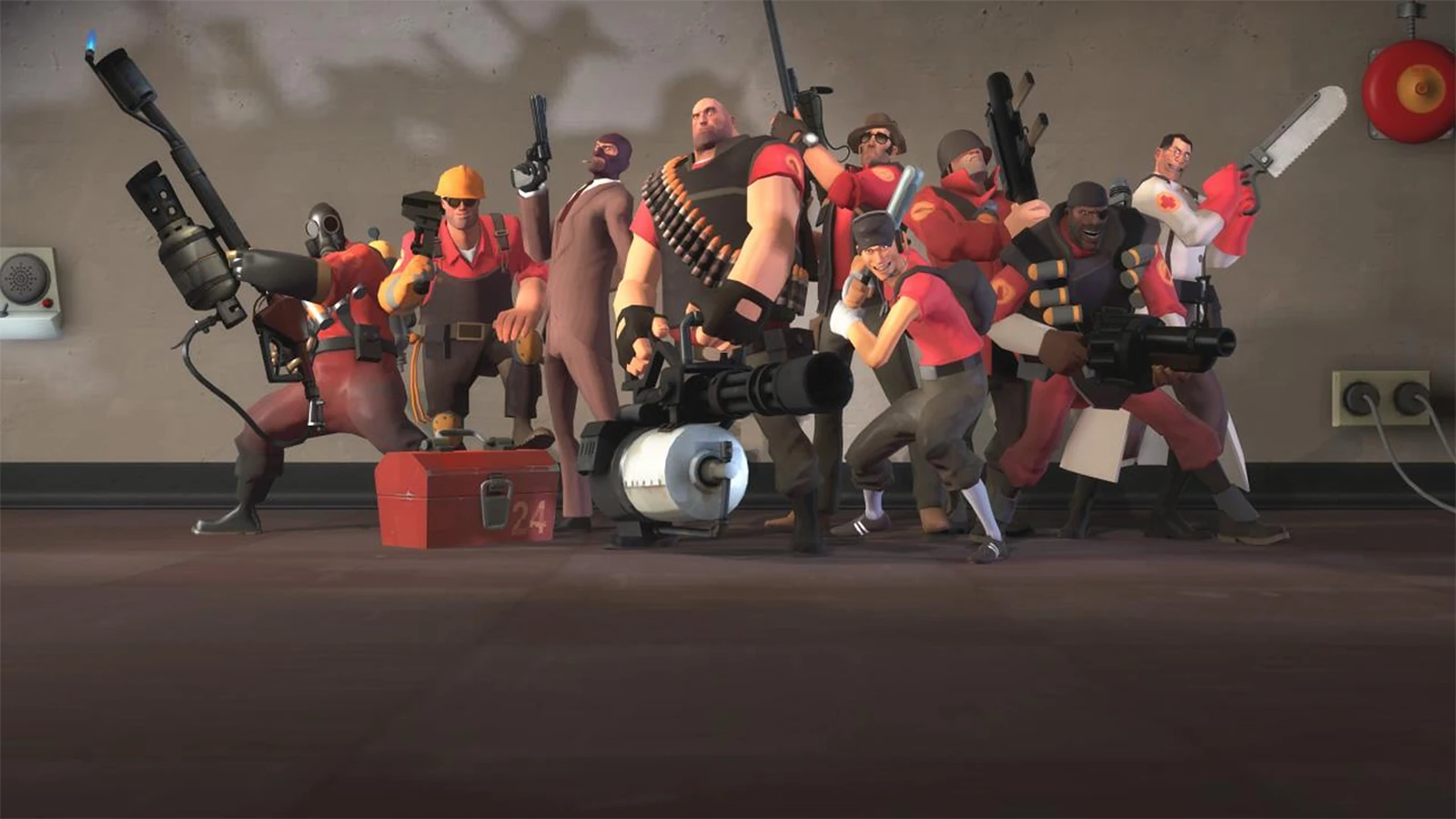
Team Fortress 2 Hosting
Team Fortress 2 Hosting for the whole community
Run a smooth Team Fortress 2 server in Frankfurt with high-tick performance, FastDL, multi-Tbps Anti-DDoS and SourceMod plugins. Casual, MGE, surf, jump, trade and community servers — online in minutes.
Plans from €8.00 per month
- DDoS protected
- High-tick + FastDL
- Low EU ping
13 Tbps+Anti-DDoS filtered
FrankfurtLow-latency EU
NVMeSSD storage
24/7In-house support
Everything your Team Fortress 2 server needs
From a casual 24/7 community server to MGE and jump maps, we give TF2 the performance and plugins it needs.
A dedicated TF2 server gives you your own maps, plugins and community with FastDL for instant downloads. It's light to host but a frequent target, so protection and high tick keep gameplay smooth.
Every plan is hosted in Frankfurt behind our multi-Tbps Anti-DDoS network, on high-clock CPUs with NVMe SSD storage, and managed from an easy control panel — online in minutes with 24/7 in-house support.
High-tick + FastDL
High-clock CPUs and built-in FastDL keep gameplay smooth and downloads instant for custom maps and assets.
SourceMod & MetaMod
Full SourceMod/MetaMod support for any plugin — admin tools, MGE, surf, jump, trade and more.
Anti-DDoS included
Source servers are common targets. Multi-Tbps filtering keeps your community online.
Custom maps
Load any custom map pool — payload, surf, jump, MGE and community favourites.
Easy control panel
Console, RCON, config and one-click restart from a clean web panel.
Frankfurt latency
Central-EU routing keeps your players on a stable, low ping.
Built for Team Fortress 2 players, not just servers
Hardware, network and protection tuned for game hosting — hosted in one of Europe's best-connected data centres.
Multi-Tbps Anti-DDoS
Every server is filtered through our own 13 Tbps+ Frankfurt network and custom XDP layer — attacks are absorbed before they reach you. Learn more →
Instant setup
Your Team Fortress 2 server is deployed automatically right after checkout — online in minutes, not hours.
Low EU latency
Frankfurt is the heart of European networking. Players across the EU get a stable, low ping for smooth gameplay.
Easy control panel
Start, stop, restart, edit configs, install mods/plugins and manage files from a clean web panel — no Linux knowledge needed.
High-clock CPUs + NVMe
Game servers love fast single-core performance. Our nodes run high-clock CPUs with NVMe SSDs for quick world loads.
24/7 in-house support
Real people who host games for a living — not a generic call centre. We help you get set up and stay online.
How to make a Team Fortress 2 server
From zero to online in four steps — no technical experience required.
Pick slots
Choose player slots — 24/7 community servers want 24–32. Upgrade anytime.
Choose a mode
Casual, MGE, surf, jump or trade — set it up with the right SourceMod plugins.
Instant deploy
Your TF2 server, IP and RCON are ready within minutes of checkout.
Go live
Load your maps and plugins, share the IP and build your community — protected and online.
How much server do you need?
Not sure which plan fits? Here's a quick guide for a Team Fortress 2 server — and you can always upgrade RAM and slots instantly as you grow.
Plans from €8.00 per month.
-
Starter
1–2 GBRAM
24 slots
Casual and small community.
-
Community
2–3 GBRAM
24–32 slots
MGE, surf, jump and trade.
-
Large
4 GBRAM
32+ slots
Busy 24/7 community servers.
Server types
Every TF2 server
Run any popular Team Fortress 2 mode with SourceMod.
- Casual / 24-7
- MGE
- Surf
- Jump
- Trade
- Dodgeball
- Versus Saxton Hale
- x10
- Deathrun
- Community
Team Fortress 2 is a top DDoS target — you're covered
Game servers are the #1 target for DDoS attacks. Every ESAGAMES Team Fortress 2 server sits behind our multi-Tbps filtering and custom in-house XDP mitigation, engineered to absorb modern botnets like AISURU and keep you online during raids, rivalries and events.
How our protection worksTeam Fortress 2 hosting questions, answered
Do you support SourceMod and custom plugins?
Yes — full SourceMod and MetaMod support for any plugin, including MGE, surf, jump, trade and admin tools.
Is FastDL included?
Yes — built-in FastDL means players download your custom maps and assets instantly with no third-party host needed.
Is the server DDoS protected?
Always — every TF2 server is filtered through our multi-Tbps Frankfurt network.
How many slots should I choose?
Casual community servers usually run 24–32 slots; smaller competitive modes need fewer. You can upgrade instantly.
How fast is setup?
Automatic — your server and RCON are ready within minutes of checkout.
Can I load custom maps?
Yes — any custom map pool (payload, surf, jump, MGE and more) loads easily from the panel with FastDL.
How much does Team Fortress 2 server hosting cost?
Team Fortress 2 server plans start from €8.00 per month, with Anti-DDoS protection included. The final price depends on the slots and resources you choose at checkout, and you can upgrade at any time.
Helpful Team Fortress 2 guides
Prefer to set it up yourself? These step-by-step guides walk you through it.
Host other games with ESAGAMES
 Minecraft
 CS2
CS2 CS 1.6
 Rust
Rust FiveM
FiveM ARK
ARK Valheim
 Garry's Mod
 Palworld
 Terraria
 SCP: Secret Laboratory
 Hytale
 Unturned
 Insurgency
 Project Zomboid
- DayZ
 Squad
Squad Satisfactory
 7 Days to Die
- Sons of the Forest
 Factorio
 Core Keeper
 Barotrauma
 Don't Starve Together
 Vintage Story
 Eco
Eco Necesse
 Starbound
 Left 4 Dead 2
 Killing Floor 2
 Mordhau
 Conan Exiles
 SCUM
SCUM V Rising
 RedM
RedM open.mp
- Metin2
- Open Tibia
- RSPS
- Arma 3
- alt:V
- Multi Theft Auto
- The Isle
- Path of Titans
- Hurtworld
Team Fortress 2, Source and Steam are trademarks of Valve Corporation. ESAGAMES is an independent server host and is not affiliated with or endorsed by Valve.
Launch your Team Fortress 2 server today
Protected, low-latency Team Fortress 2 hosting in Frankfurt — online in minutes with 24/7 support behind you.